A server failure at 9:15 a.m. does not leave much room for theory. Your team needs files back, systems online, and a clear answer on what was protected, where it lives, and how fast it can be restored. That is why cloud backup vs local backup is not just an IT preference. It is a business continuity decision that affects downtime, risk, and recovery.
For most organizations, the right answer depends on how quickly operations must resume, how much data changes each day, and what level of control the business needs over security and compliance. Both backup models can work. Both also have gaps if they are deployed without a clear recovery plan.
Cloud backup vs local backup: what changes in practice
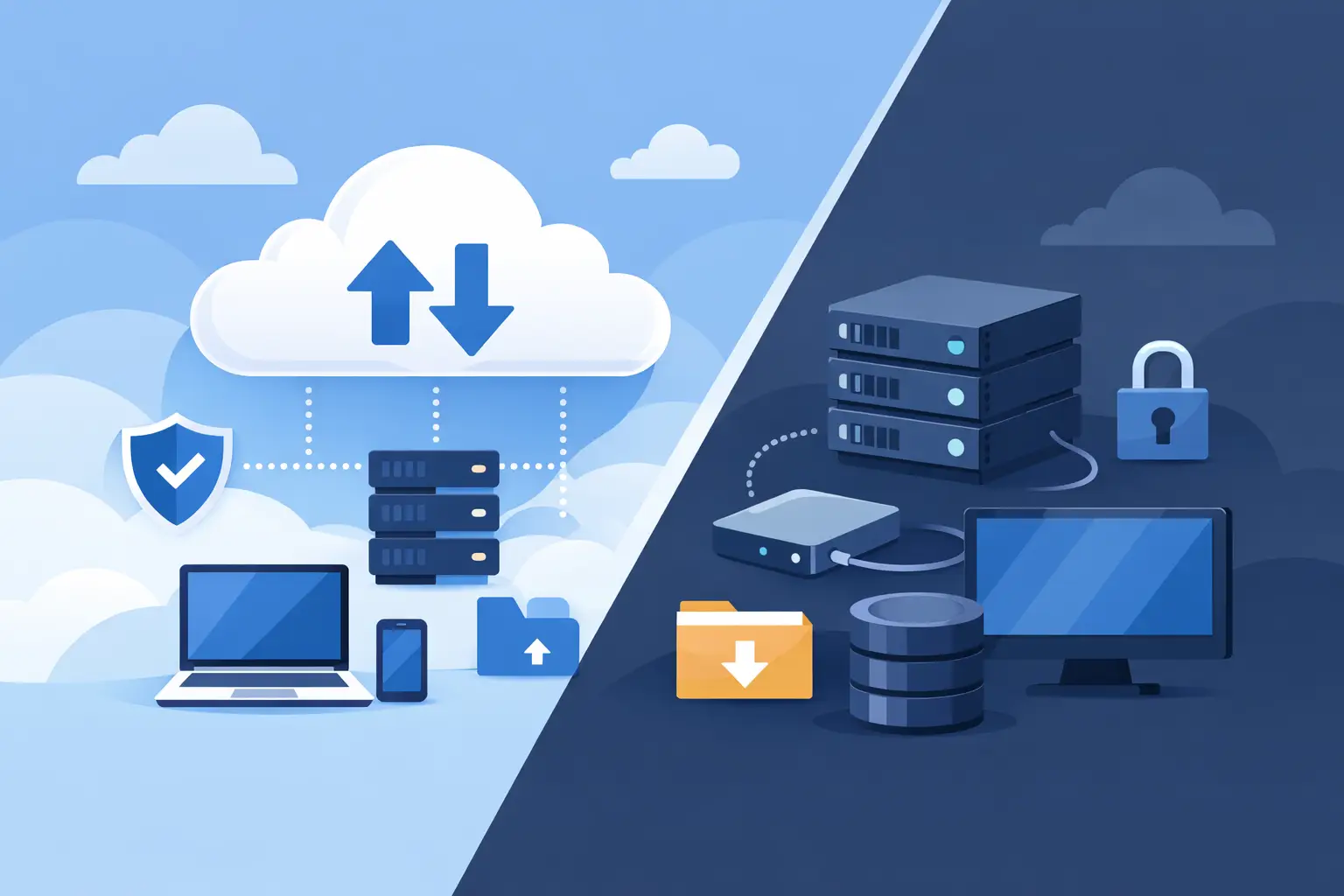
Cloud backup stores copies of business data in an offsite environment managed through a cloud platform or backup provider. Local backup stores data on devices you control directly, such as network-attached storage, backup appliances, external drives, or on-premises servers.
On paper, the difference looks simple. In practice, it changes how your business recovers from ransomware, hardware failure, accidental deletion, and site outages. A local backup may restore large data sets faster because the copy is physically nearby. A cloud backup may protect you better when the office is inaccessible, a server room is damaged, or a threat spreads across the internal network.
That trade-off matters because recovery is usually measured in two ways. The first is how much data you can afford to lose. The second is how long you can afford to be down. Backup strategy should support both.
Where local backup makes sense
Local backup is often the best fit when recovery speed is the top priority. If a file server fails and you need to restore hundreds of gigabytes quickly, pulling that data from a local appliance is usually faster than downloading it over the internet. For businesses with large datasets, limited bandwidth, or high-volume line-of-business systems, that speed can make a real difference.
Local backup also gives organizations a stronger sense of direct control. The hardware is on site or in a managed facility you designate. Your IT team or managed provider can verify jobs, test restores, and maintain the system closely. In environments where operational control matters, that can be a practical advantage.
Still, local backup has limits that business leaders should not overlook. If the same fire, flood, theft, or ransomware event affects both production systems and the backup device, recovery can stall fast. Local systems also require maintenance. Hardware fails, storage fills up, and backup jobs can quietly stop working if no one is monitoring them.
That is where many businesses get exposed. They assume local means safe. It only means nearby.
Where cloud backup has the edge
Cloud backup is built around offsite resilience. If your primary office goes down, your backup copy still exists somewhere else. That makes cloud especially useful for disaster recovery, remote work environments, and businesses with multiple locations or distributed users.
Cloud backup also reduces dependence on local hardware. You do not need to buy, house, cool, and replace as much backup infrastructure on site. For many small and midsize businesses, that simplifies backup operations and makes protection easier to scale as Microsoft 365 data, endpoints, and shared storage grow.
Another advantage is geographic separation. A local backup may help in a hardware failure. A cloud backup helps when the entire site is the problem. If your risk planning includes severe weather, building access issues, or prolonged outages, offsite backup is not optional.
The downside is recovery time. Restoring large volumes of data from the cloud can be slower, especially if bandwidth is limited or recovery priorities have not been clearly defined in advance. Cloud backup also depends on vendor configuration, retention settings, and alerting. If it is not managed actively, businesses may assume they are covered when they are only partially protected.
Cloud backup vs local backup on security and ransomware
Security is where the conversation gets more specific. Neither cloud nor local backup is automatically secure. The real question is how the backup environment is isolated, monitored, and protected from unauthorized changes.
A local backup system that is always connected to the network can be vulnerable if ransomware reaches it. A cloud backup platform with weak credentials or poor access controls can also be targeted. What matters is immutability, access management, encryption, and monitoring.
For many businesses, cloud platforms now offer stronger built-in options for versioning, offsite retention, and protected recovery points. That can improve resilience against attacks that try to encrypt or delete backups. But those features must be configured and tested. Security does not come from location alone.
Local backup can still play an important role in ransomware recovery, particularly when it includes isolated backup storage or controlled replication. The stronger approach is usually not choosing one over the other. It is making sure backup copies are separated enough that one incident cannot compromise everything at once.
Cost is not as straightforward as it looks
Some organizations lean toward local backup because it appears less expensive over time. Others prefer cloud because it avoids major upfront hardware purchases. Both views can be true depending on the environment.
Local backup often involves capital costs for appliances, drives, licensing, and replacement cycles, plus the labor to manage it. Cloud backup typically shifts spending into recurring service costs based on storage volume, retention, endpoints, or protected workloads.
The better cost question is this: what are you paying to recover reliably? A lower-cost backup system that fails when needed is more expensive than a well-managed platform that restores quickly and predictably. Downtime, missed transactions, lost productivity, and reputation damage often outweigh storage pricing.
For decision-makers, backup should be evaluated as an operational control, not just a storage line item.
Why a hybrid model often wins
For businesses that cannot tolerate service interruptions, the strongest answer to cloud backup vs local backup is often both. Local backup supports fast restores for common issues such as accidental deletion, server failure, or file corruption. Cloud backup provides offsite protection if the local environment is compromised or unavailable.
This hybrid model aligns well with practical recovery planning. It gives you speed for day-to-day incidents and distance for major events. It also reduces single points of failure, which is critical in environments where uptime and accountability matter.
That does not mean adding more tools without structure. A hybrid backup model works when backup jobs are monitored, retention is intentional, alerts are reviewed, and recovery testing is performed on a schedule. Without that oversight, having two backup locations can still result in the same problem: uncertainty during an outage.
How to choose the right backup approach
The right decision starts with business impact, not product preference. If your company relies on large file shares, local application servers, or heavy daily data movement, local backup may be necessary for acceptable recovery times. If your workforce is distributed, your systems are cloud-based, or site-level disruption is a serious concern, cloud backup becomes essential.
Most organizations should also consider compliance requirements, retention needs, and the difference between backing up files and restoring full operations. Those are not the same task. Recovering a spreadsheet is one thing. Recovering an entire business process is another.
A useful planning discussion should cover a few direct questions. How long can each critical system be down? How much recent data can you lose without serious business impact? What happens if the building is unavailable? What happens if credentials are compromised? Who is verifying backup success every day, and who is responsible for testing recovery?
Those answers usually make the path clearer.
The real issue is accountability
The biggest backup problem is rarely whether data lives in the cloud or on a local device. It is assuming the system is protected without proving that recovery will work under pressure. Backup only supports continuity when it is monitored, maintained, and tied to a real disaster recovery plan.
That is why many businesses move away from ad hoc backup setups and toward managed oversight. A dependable backup strategy needs regular validation, clear ownership, and security controls that match the business risk. One Source Datacom approaches backup and disaster recovery as part of a broader operational discipline, because protection is only useful when it supports uptime, restores confidence, and shortens disruption.
If you are weighing cloud backup vs local backup, do not treat it as a binary choice. Treat it as a recovery design decision. The right model is the one that gets your business back to work without guesswork.