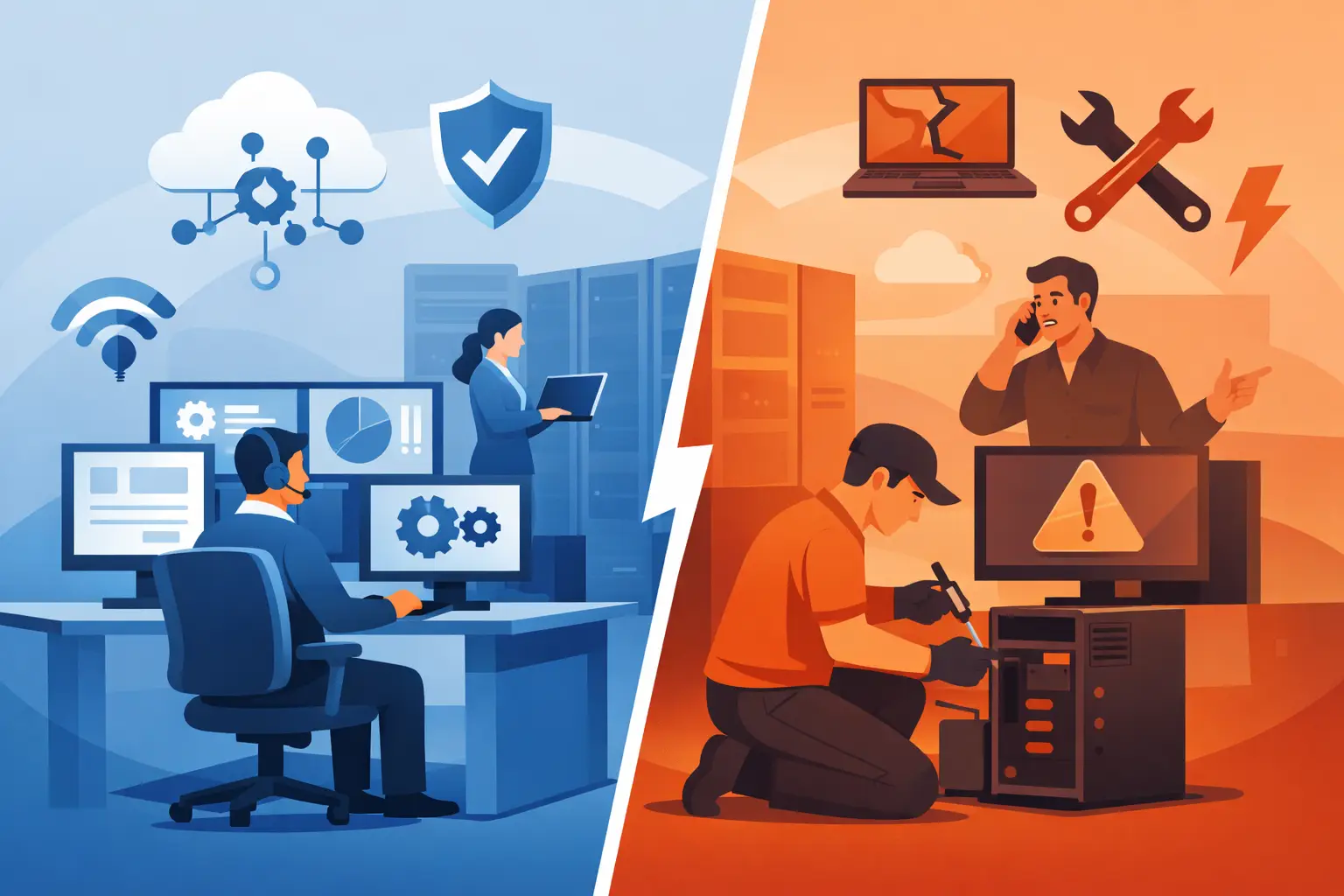
If your team only calls IT when something stops working, you are already paying for a support model. The real question in managed IT vs break fix is whether that model protects uptime, security, and business continuity well enough for the way you operate.
For some companies, break-fix support can still make sense. For many others, especially those relying on Microsoft 365, cloud platforms, endpoints, backups, and always-on connectivity, it creates too many blind spots. The difference is not just how you pay for IT. It is how your systems are monitored, how risk is controlled, and who is accountable before a problem becomes an outage.
What managed IT vs break fix really means
Break-fix is reactive. A device fails, users cannot access a file, email stops syncing, ransomware hits, or a server goes offline. Then someone opens a ticket or places a call, and IT responds after the issue has already interrupted work.
Managed IT is proactive. Instead of waiting for failure, your environment is monitored continuously. Patches are applied on schedule, alerts are reviewed, security tools are maintained, backups are checked, and user support is handled within an ongoing service structure. The goal is not just to repair problems. It is to reduce how often they happen and limit the impact when they do.
That distinction matters because most business IT issues do not arrive as one dramatic failure. They build quietly. Missed patches, aging hardware, weak endpoint controls, failed backups, dormant accounts, and unnoticed warning alerts often sit in the background until they become expensive.
The break-fix model: lower commitment, higher exposure
Break-fix appeals to businesses that want flexibility and do not want a recurring monthly agreement. On the surface, that can look efficient. If support is only needed occasionally, why pay for more than you use?
The problem is that break-fix pricing often hides the real cost. It rewards response, not prevention. A provider is paid when something breaks, not when your systems stay healthy. That creates a gap in day-to-day oversight. No one is consistently reviewing patch status, tracking endpoint risk, validating backups, or watching for early signs of trouble unless you have explicitly requested it.
This model can work in very limited situations, such as a very small environment with minimal compliance pressure, low uptime demands, and little operational dependence on technology. Even then, the risk profile has changed. Businesses now rely on cloud apps, email security, user identity controls, remote access, and endpoint protection in ways they did not a few years ago. Those moving parts need active management.
A break-fix provider may still be skilled and responsive. That is not the issue. The issue is scope. If the relationship starts when damage has already occurred, your business absorbs the downtime, disruption, and security exposure first.
Managed IT vs break fix on cost
Cost is usually where this decision starts, and it is also where many businesses evaluate the wrong number.
Break-fix may appear less expensive because there is no monthly service fee. But the financial impact shows up elsewhere: lost employee time, stalled operations, emergency labor, rushed hardware replacement, security cleanup, and leadership hours spent managing incidents. If your staff cannot work for half a day because of a server issue, that cost is real whether it appears on an IT invoice or not.
Managed IT shifts spending into a predictable operating model. You are paying for oversight, maintenance, support, and control, not just repair. That can feel like a bigger line item at first glance, but it often reduces volatile costs tied to outages and unmanaged risk.
There is also a planning advantage. A managed environment gives you clearer visibility into lifecycle issues, licensing, support trends, and future needs. Instead of being surprised by failing hardware or unsupported systems, you can budget with more accuracy.
For decision-makers, that predictability matters. It is easier to run the business when IT costs and performance are managed deliberately rather than through a series of urgent exceptions.
Security is where the gap becomes obvious
The biggest weakness in break-fix support is not inconvenience. It is exposure.
Cybersecurity is not a one-time service call. It requires continuous attention across endpoints, identities, email, patching, backup integrity, administrative access, and incident response. If those controls are not being monitored and maintained consistently, the environment becomes easier to compromise.
In a managed model, security is part of the operating framework. Endpoint protection is deployed and reviewed. Patches are scheduled. Alerts are investigated. Backup and disaster recovery readiness are checked. Microsoft 365 administration is handled with more discipline. Optional layers such as managed detection and response, SOC support, and compliance-focused controls can be added when the business has stricter requirements.
In a break-fix model, those responsibilities are often fragmented or left partially owned by internal staff who already have other jobs. That does not mean nothing gets done. It means consistency is harder to maintain, and inconsistency is where risk grows.
If your business handles sensitive customer data, has cyber insurance requirements, supports remote users, or depends on Microsoft 365 every day, reactive support is usually not enough.
Managed IT vs break fix for uptime and user support
From an operations standpoint, uptime is the clearest difference between these models.
With break-fix, users experience the issue first. Then they report it. Then diagnosis begins. Even with a fast response, the disruption has already spread. One failed workstation may be manageable. An email outage, VPN failure, or backup issue can affect the whole organization.
Managed IT aims to narrow that window. Monitoring tools can identify failed services, low disk space, unhealthy backups, offline devices, and suspicious behavior before users fully feel the impact. Helpdesk and remote support are also part of an ongoing support process instead of a separate emergency event each time.
That structure is especially valuable for multi-site offices, growing teams, and businesses without the capacity to supervise IT vendors closely. It gives users a defined support path and gives leadership a clearer line of accountability.
This is one reason companies move away from break-fix even when they have tolerated it for years. The issue is not just technical performance. It is operational drag. Small recurring problems consume attention, delay work, and chip away at confidence.
When break-fix still makes sense
There are cases where break-fix can still be practical.
If your organization has a very small footprint, little regulatory pressure, minimal remote access, and an internal person already handling routine maintenance, occasional outside support may be enough. The same may be true for a noncritical location or a temporary environment with limited production value.
But that decision should be made with clear eyes. If downtime affects revenue, if staff rely on cloud applications all day, if you need backup certainty, or if a security event would create legal or customer impact, the threshold changes fast.
A useful test is this: can your business tolerate preventable outages, inconsistent patching, and delayed visibility into security issues? If the answer is no, you are no longer evaluating convenience. You are evaluating operating risk.
How to choose the right model for your business
Start with business dependence, not technology preference. How long can your organization operate if systems are down? How many users need support daily? How critical are Microsoft 365, backups, endpoint security, and cloud access to normal operations?
Next, look at internal capacity. If your staff can manage vendors, monitor systems, verify backups, oversee patching, and respond to security alerts consistently, a lighter external support model may be workable. If not, unmanaged gaps will form, even if everyone is doing their best.
Then look at accountability. In break-fix arrangements, responsibility is often split. Internal teams own some tasks, a local provider handles emergencies, security tools come from somewhere else, and no one is responsible for the whole environment. Managed IT creates a single operational framework with defined responsibilities.
That is where a provider such as One Source Datacom fits best: businesses that need one accountable partner for infrastructure oversight, support, security operations, Microsoft 365 administration, and continuity planning rather than a vendor that only appears after the problem is visible.
The right choice comes down to what kind of business you are running. If IT is incidental, break-fix may be enough for now. If IT is central to service delivery, employee productivity, and risk management, managed support is the stronger operating model.
The companies that make this shift are usually not chasing more technology. They are trying to eliminate uncertainty, tighten control, and keep the business moving without waiting for the next failure to tell them what was missed.